Menu-bar remote
One click from your menu bar opens a floating Siri Remote panel. Click anywhere outside to dismiss, or pin it to keep it around.
Menu-bar remote for macOS
Control any paired Apple TV from a floating Siri Remote style panel, complete with two-finger gestures, long-press shortcuts, volume, mute, wake, and sleep.
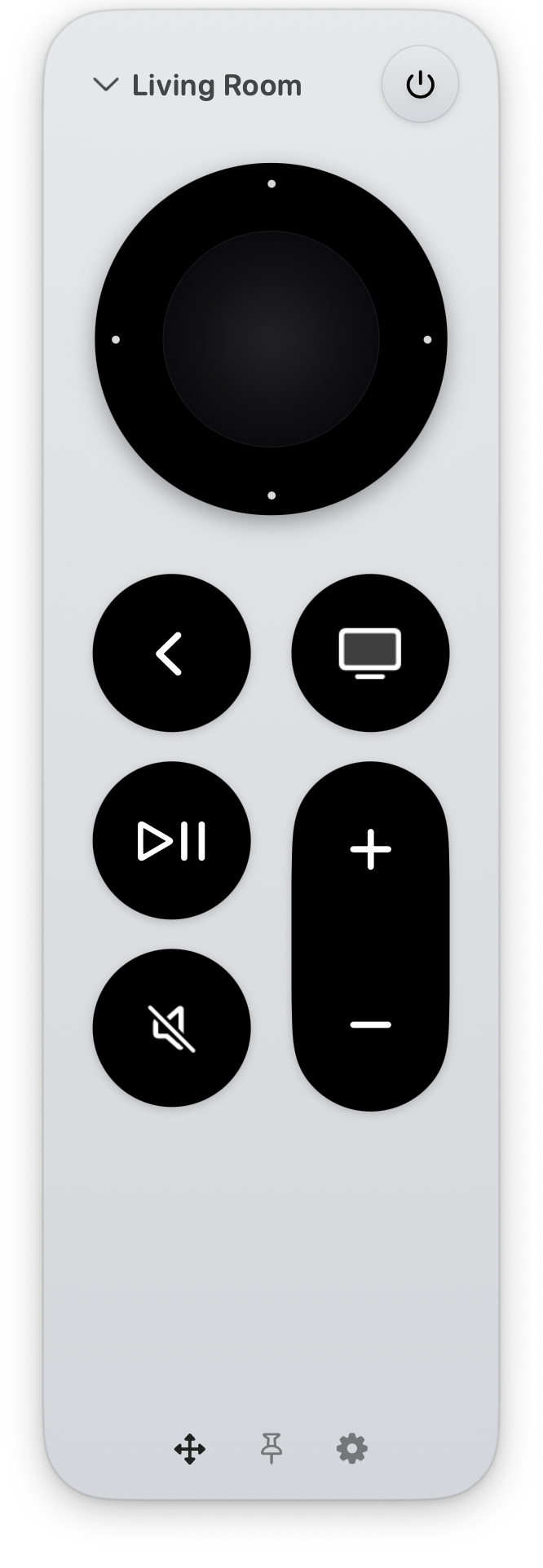
Open it from the menu bar. Control your Apple TV. Done.
One click from your menu bar opens a floating Siri Remote panel. Click anywhere outside to dismiss, or pin it to keep it around.
Two-finger swipe to navigate, tap to select, long-press for back. Configure where they're accepted and what each gesture does.
Back, TV, play/pause, mute, volume, and power — all there. Long-press TV for the app switcher; long-press power to sleep.
Pick your Apple TV from a scan of your network, then type the 4-digit PIN it shows on screen. Credentials stay on your Mac.
Pair every Apple TV in the house. Switch between them from the top of the remote — the active TV's name and color are always visible.
Drag any corner to resize, drag the body to reposition. Pin the panel so it stays open while you scroll Safari or take notes.
Install the app, allow local network access, and pair your Apple TV.
Find the remote icon in the menu bar.
Let macOS find Apple TVs nearby.
Pick your Apple TV and enter the PIN.
Download
Free direct download for macOS. Coming soon to the Mac App Store.
Version 1.0 · Free · macOS 26 Tahoe or later.
Short answers to the questions that come up most.
It's currently in review with the Mac App Store. Until it goes live there, the direct DMG download below works on any compatible Mac. The Mac App Store version will be the same app — easier auto-updates is the only practical difference.
No. Install the app, pair your Apple TV, and start using the remote.
Apple TVs are found over your local network. macOS asks before apps can look for nearby devices.
Yes. Tap the power button to wake, or hold it to sleep.
Pairing information stays on your Mac.
Still stuck? Head over to Support for troubleshooting steps and how to get in touch.
Pair once, then control your Apple TV with the trackpad you already have.